
Host your sites and mail
on a server you own
ownpanel is an open source panel for one Linux server. It publishes your sites with HTTPS, keeps every version so you can always go back, and runs your DNS, redirects and e-mail.
curl -fsSL https://raw.githubusercontent.com/danielgtmn/ownpanel/main/install.sh | sudo bashOn a fresh Debian or Ubuntu server, as root. What it does and what you need
- Open source, AGPL 3.0
- Debian 12+ and Ubuntu 22.04+
- amd64 and arm64
- No account, no tracking
What it does today
Everything below is in the current code. Items marked Nightly are in the build of every merged change and come with the next stable release; planned ones are not built yet.
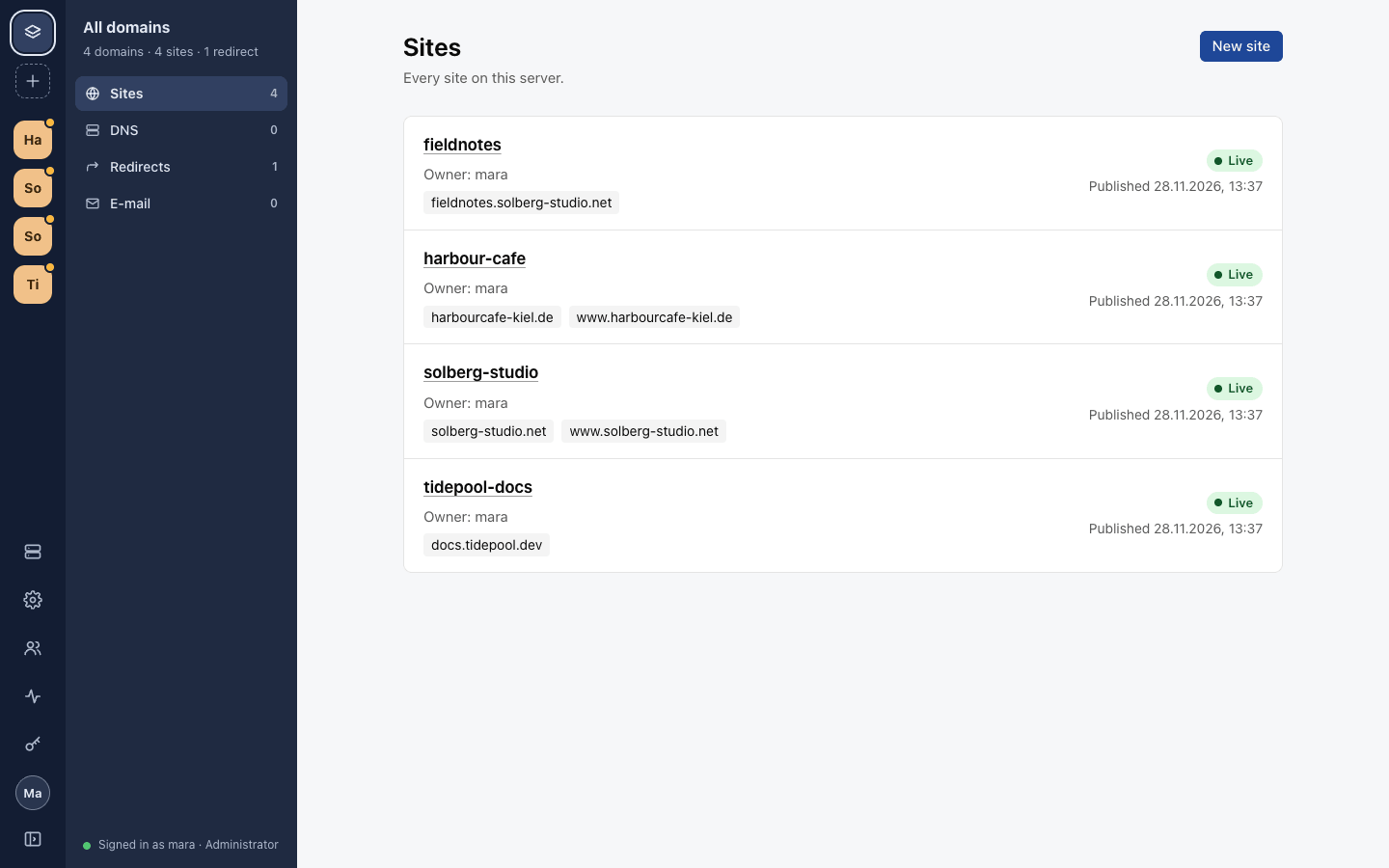
Static sites with HTTPS
Create a site, give it its domains, and the certificate is requested and renewed for you.
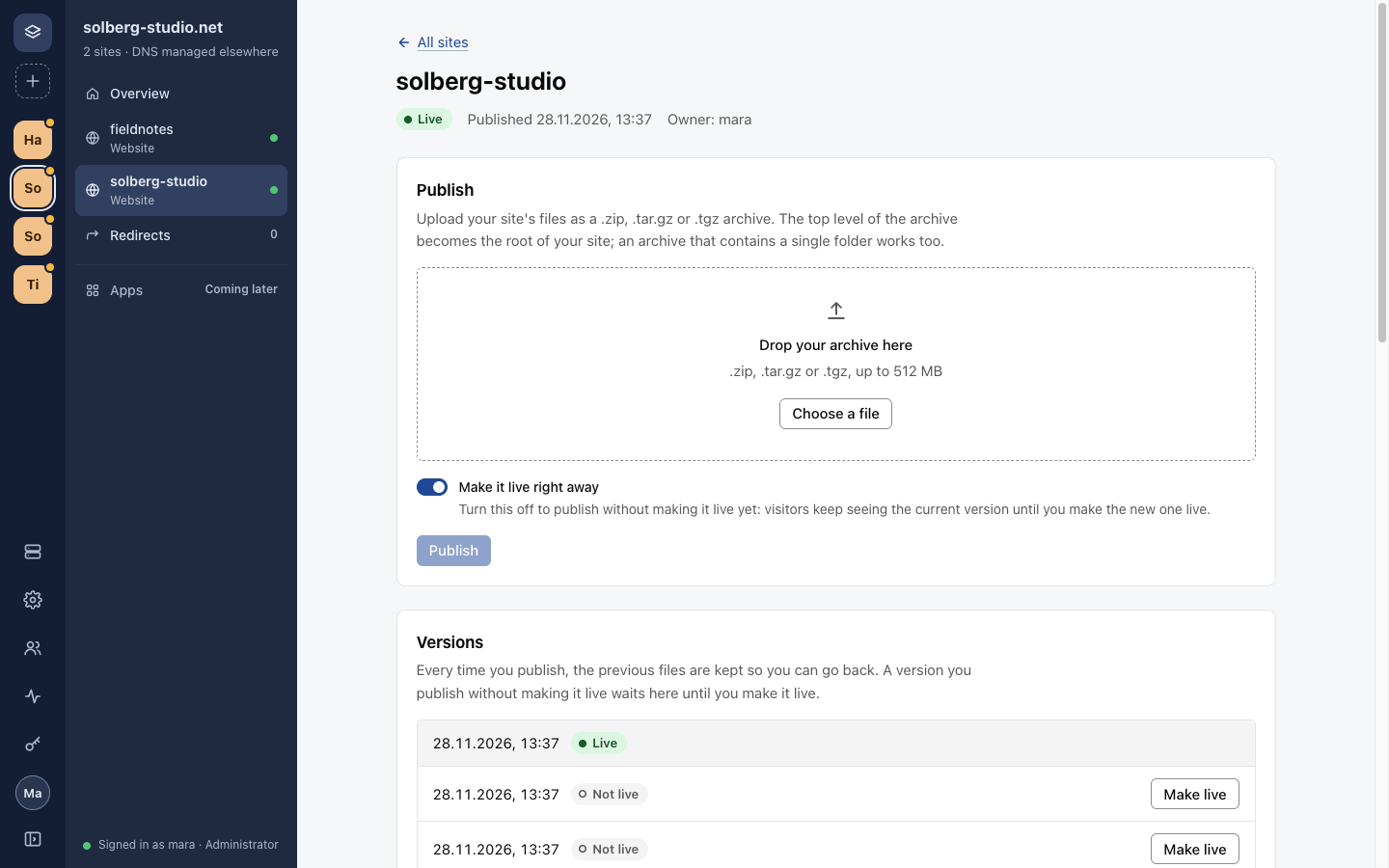
Versions you can go back to
Every publish is a new version and earlier ones are kept. Make any of them live again with one click.
Previews before going live Nightly
Publish a version without making it live, open it at an address of its own, and make it live when it looks right.
Builds from your repository Nightly
Link a site to GitHub or any Git host. Each push is built on the server, every build in a container of its own, cut off from the panel and from the other sites.
DNS at Hetzner
Add domains, edit their records, see whether a domain points at the server and fix it with one click. Domains elsewhere work too.
Redirects
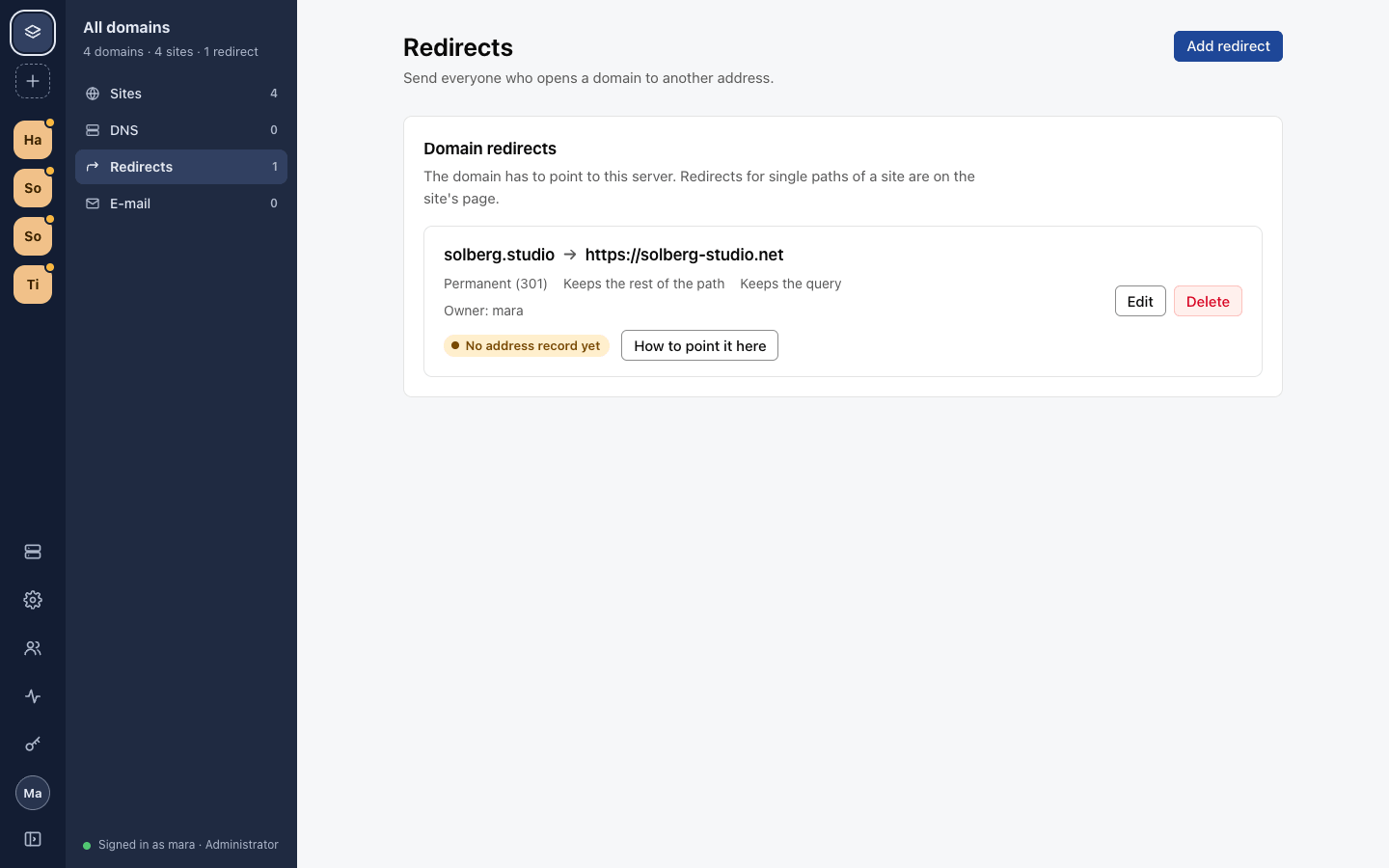
Choose between the address with or without www, send old paths to new ones, or a whole domain to another address.
Your own e-mail
A mail server of its own: mailboxes for any mail program, forwarding, signed outgoing mail, spam checks and sending limits. Nothing goes through an outside sending service.
Shared mailboxes and calendars Nightly
Mailboxes such as info@ that several people read, filters and out of office, calendars and contacts that sync to phones and computers.
People and access tokens
Administrators and members sign in to the panel. Scripts and CI get tokens that can be read only and limited to some sites. Every change lands in the activity log.
Tools for AI agents
An MCP server offers the same operations to assistants such as Claude Code, under the same permission rules as the panel.
Updates from the panel
One button installs the new release, with a backup first and an automatic rollback if it does not start. Optionally at night, on its own.
Apps in containers Planned
Run applications next to your sites, not only static files. Not built yet: issue #32.
Webmail Planned
Read mail in the browser. Until then mailboxes work with any mail program: issue #30.
Your sites and your mail on one server you control. No account with us, no service in between.
A closer look
From a fresh server to your first site
Run the installer
One command downloads the latest release, checks it against its checksums and sets up the panel, the web server and the mail service.
Open the panel
Enter the one time setup code the installer printed, create the first administrator and choose the panel's own domain.
Publish a site
Create a site, point its domain at the server, then upload an archive or publish it from a GitHub workflow.
Early, and open about it
ownpanel works end to end for static sites, but it is young and not hardened for production yet. The documentation lists what is protected, how, and what is not.
Questions
- What does it cost?
- Nothing. ownpanel is open source under the AGPL 3.0. There is no account with us and nothing runs on our side: the panel and everything it stores live on your server.
- What kind of server do I need?
- A Linux server with Debian 12 or newer or Ubuntu 22.04 or newer, amd64 or arm64, root access, a public address and ports 80 and 443 open. Building sites on the server needs Debian 12+ or Ubuntu 24.04+ and 12 GB of free disk space.
- Can it run WordPress, Node or other apps?
- Not yet. Today ownpanel hosts static sites: plain files, or the output of a build. Apps in containers are planned.
- Do I need Hetzner?
- No. Hetzner is the only DNS provider the panel can change records at. A domain whose DNS is somewhere else works just as well; you set its records there yourself, and the panel tells you which.
- Is it ready for production?
- It is early. The installer and updates have been tested on one real server and in containers, and e-mail has not run on a public server yet. There is no second sign in factor. Read the security page for what is protected and what is not, and try it on a throwaway server first.
- How do I get rid of it?
- Run the installer again with
--uninstall. It removes ownpanel and keeps your data;--purgedeletes the data too.
Try it on a spare server
The same command as above. It prints the address to open and your setup code.
curl -fsSL https://raw.githubusercontent.com/danielgtmn/ownpanel/main/install.sh | sudo bash